Tally Mark Counter – Free Online Tool for Easy Counting
Count Verse Team

A tally mark counter makes repeated counting simple by letting you record each item person or action with a quick click or tap. It brings the familiar tally mark system into a digital format so you can keep track of numbers without constantly writing marks on paper or losing your place.
An online tally counter can be useful for attendance, event visitors, inventory, sports scores, workout repetitions, research and other counting tasks. In this guide you’ll learn what tally marks are, how the counting system works in groups of five, how to use a digital counter and how it compares with paper tally marks and physical clickers.
You’ll also find practical examples, accuracy tips and answers to common questions so you can choose a simple counting method that fits your needs.
If you need a simple way to keep track of repeated counts, try our online tally counter for quick and convenient counting.
What Is a Tally Mark Counter?
A tally mark counter is a simple counting tool used to keep track of repeated items, events, or actions. It follows the same basic idea as traditional tally marks, where each mark represents one count. With a digital counter, you can record the number with a click or tap instead of writing each mark by hand.
This makes repeated counting easier to follow and reduces the chance of losing your place.
How Does a Tally Mark Counter Work?
A tally mark counter increases the total each time you click or tap its counting button. For example, if you are counting visitors entering a room, each new visitor can add one to the count. The current total stays visible, so you can check your progress without recounting everything from the beginning.
Depending on the tool, a digital tally counter may also let you subtract a count, reset the total, use multiple counters, or control counting with a keyboard. These options are especially useful when you need to track more than one type of item or correct an accidental click.
What Are Tally Marks?
Tally marks are a simple way of recording quantities using short lines. The first four counts are usually written as four separate marks. The fifth mark crosses the first four, creating a group that is easy to recognize and count.
For example, one through four can be represented as I, II, III, and IIII. A complete group of five is then represented by the fifth crossing mark. This system makes it possible to count larger quantities by looking at groups rather than individual marks.
Why Are Tally Marks Grouped in Fives?
Tally marks are grouped in fives because groups of five are easier to recognize and count quickly than a long series of individual marks. Once a group is complete, you can count the groups first and then add any remaining marks.
For instance, three complete groups represent 15, while three groups plus two additional marks represent 17. This simple grouping system is why tally marks have remained useful for quick manual counting and why many digital tally counters are designed around the same counting concept.
How to Use an Online Tally Mark Counter
Using an online tally mark counter is straightforward. Choose what you want to count, start the counter, and update the number as each item or action occurs. A consistent counting method helps you keep an accurate total from the beginning to the end of a session.
Start a New Count
Begin with a fresh counter when you are starting a new counting task. Give it a clear label if the tool supports custom names, such as “Visitors,” “Items,” or “Repetitions.” Starting with a dedicated counter keeps the purpose of the count clear and avoids mixing numbers from different tasks.
Add Counts as You Go
Increase the counter once for every item, person, or action you record. You can usually do this by clicking or tapping the main count button. Keep the same rule throughout the session—for example, one visitor equals one count—so the final number represents what you actually measured.
Correct a Counting Mistake
Accidental clicks can happen during repeated counting. If your counter provides a minus or undo option, use it as soon as you notice the error. For a larger correction, adjust the number to the correct value if that option is available rather than starting the entire count again.
Reset the Counter
Reset the counter when the current counting session is finished and you want to begin a new one. Before resetting, make sure you have recorded the final number if you need it later. A reset should be treated as the start of a new counting task, not simply another way to change the current total.
Use Multiple Counters for Different Items
Multiple counters are useful when you need to track separate categories at the same time. For example, an event organizer could use one counter for adults, another for children, and a third for staff. Keeping each category in its own counter makes the totals easier to read and compare.
If you prefer managing counts in a spreadsheet, learn how to create a tally counter in Excel.
Key Features of a Digital Tally Mark Counter

A digital tally mark counter turns simple repeated counting into a more convenient process. Instead of keeping track of handwritten marks, you can update a running total and manage your counts from a phone, tablet, or computer. The exact features can vary between tools, but the following functions are particularly useful for everyday counting.
Feature | What It Helps With |
One-click or tap counting | Quickly records each new count |
Add and subtract | Fixes an incorrect total without restarting |
Multiple counters | Tracks different items separately |
Custom labels | Makes each counter easier to identify |
Keyboard controls | Allows faster counting on a computer |
Saving a count | Helps continue a counting session later when supported |
One-Click or Tap Counting
The basic function is simple: click or tap the counting control whenever another item or action needs to be recorded. The total updates immediately, making this useful for people counting, inventory checks, repetitions, attendance, and other tasks where the same action happens repeatedly.
Add and Subtract Counts
A counter becomes more practical when you can adjust the total instead of starting over after an error. Adding a value can help when several items need to be recorded together, while subtracting can correct an accidental count. The available adjustment options depend on the specific counter.
Multiple Counters
Multiple counters allow you to keep separate totals within the same counting session. For example, you might track different product types during an inventory check or maintain separate counts for two groups at an event. This keeps related numbers organized without mixing them into one total.
Custom Counter Labels
Clear labels make it easier to understand what each number represents. Instead of seeing several unnamed counters, you can identify them as “Visitors,” “Blue Items,” or “Team A,” when custom naming is supported. This is especially helpful when several categories are being counted together.
Keyboard Controls
Keyboard controls can make desktop counting faster because you do not have to move the mouse back to the counter after every entry. Shortcuts such as the spacebar, plus, minus, or arrow keys may be available on some online counters. Always check the controls provided by the particular tool you are using.
Saving and Continuing a Count
Saving a count can be useful when a counting task lasts longer than one session. If the counter supports automatic saving or browser-based persistence, you may be able to return later without entering the number again. Whether a count survives a refresh, browser close, or device change depends on how the individual tool stores its data.
Tally Mark System Explained With Examples
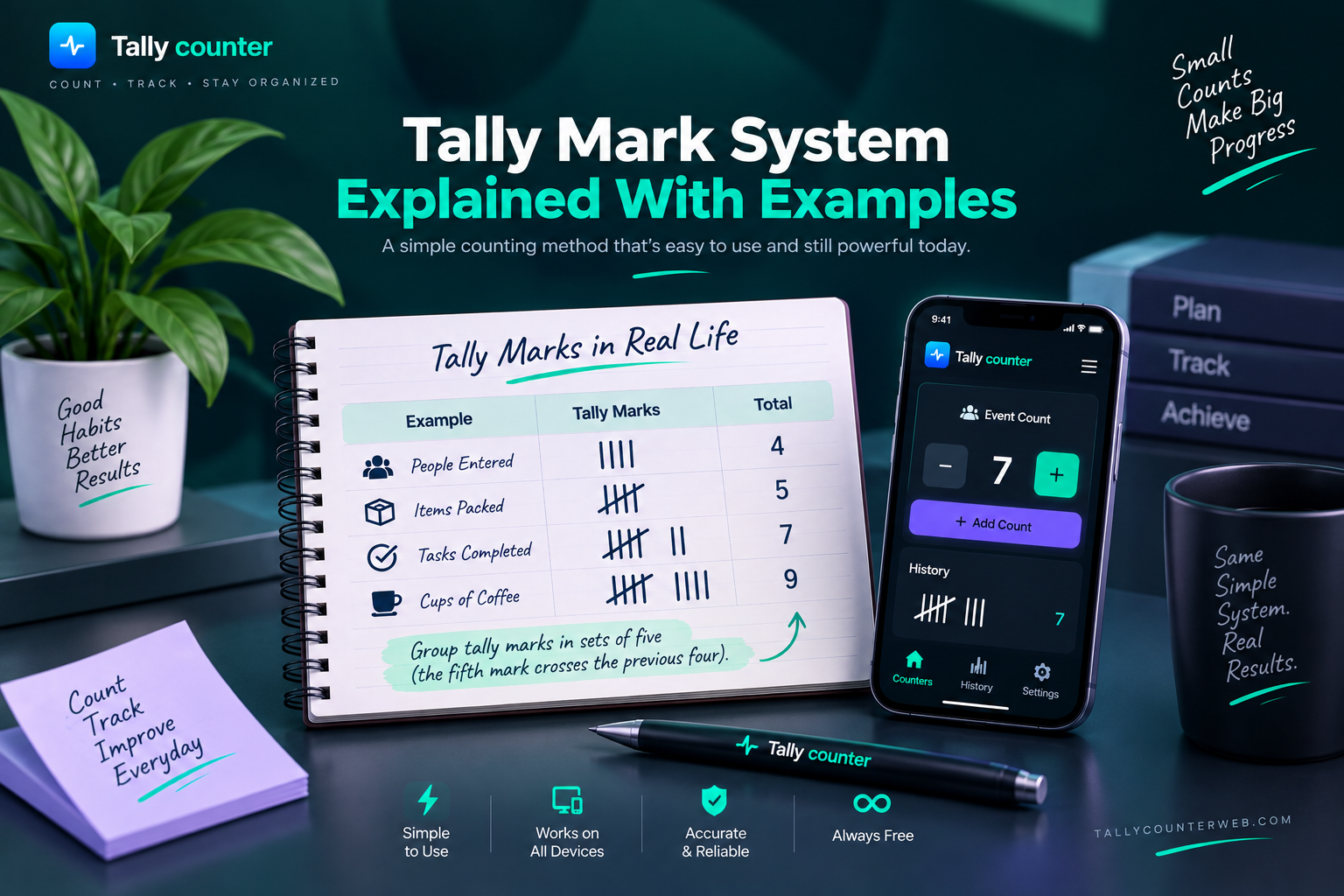
The tally mark system is a simple way to record quantities using short marks. Each mark represents one count, while completed groups make larger numbers easier to read. A tally mark counter follows the same basic counting idea in digital form, but shows the running total without requiring you to draw every mark by hand.
Tally Marks From 1 to 5
The first four numbers are represented by individual vertical marks. The fifth count completes the first group by placing a crossing mark over the four existing marks.
Number | Tally Mark |
1 | | |
2 | || |
3 | ||| |
4 | |||| |
5 | |||| + crossing mark |
This grouping makes five easy to recognize as one complete unit rather than five separate lines.
Tally Marks From 6 to 10
After reaching five, a new group begins. Six is therefore one complete group of five plus one additional mark. The same pattern continues until another group is completed at ten.
For example, 7 means 5 + 2, while 9 means 5 + 4. At 10, there are two complete groups of five.
How to Represent Larger Numbers
Larger quantities can be broken into complete groups of five and any marks left over. For example, 12 can be understood as two groups of five plus two additional marks. Similarly, 18 consists of three groups of five and three extra marks.
This method keeps manual tally records organized, especially when the count becomes too large to track comfortably as individual lines.
Counting in Groups of Five
Counting in groups of five is the main principle behind tally marks. Instead of counting every mark separately, first count the completed groups and then add the remaining marks.
For instance, four complete groups represent 20. If three more marks are added, the total becomes 23. This same idea makes tally counting easy to read at a glance and provides the foundation for how a digital tally mark counter represents repeated counts.
For counting on a mobile device, explore the best tally counter apps available for Android.
Tally Mark Counter vs. Other Counting Methods
There are several ways to keep track of repeated counts. Paper tally marks are useful for quick handwritten records, while a digital counter makes it easier to see and adjust a running total. A physical clicker offers a dedicated handheld option, whereas an online counter can be accessed through a browser. The right method depends on the task, environment, and type of record you need.
Tally Mark Counter vs. Paper Tally Marks
Paper tally marks are simple and need nothing more than a pen and paper. They can be useful when you want a physical record or do not have access to a device. A digital tally mark counter is more convenient for longer counting sessions because the current total remains visible and supported tools may allow you to correct or reset the count without rewriting the marks.
Digital Tally Counter vs. Physical Clicker
A physical clicker records a count whenever its button is pressed. A digital tally counter works on a phone, tablet, or computer and provides the same basic counting function through a screen. A physical clicker can be practical when you want a dedicated handheld device, while a digital option can be useful when you already have a device available and need features such as multiple counters or adjustable counts.
Tally Counter vs. Click Counter
The terms tally counter and click counter are often used for tools with the same basic purpose: increasing a running number as events or items are counted. A tally counter may emphasize the traditional tally-mark method, while a click counter describes the action used to increase the count. In online tools, the two terms can overlap, so the available features matter more than the name.
When to Use Each Counting Method
Counting Method | A Good Fit When You Need |
Paper tally marks | A quick handwritten record |
Physical clicker | Simple handheld counting |
Digital tally counter | A visible running total with digital controls |
Online counter | Browser-based counting on a compatible device |
Multiple digital counters | Separate totals for different items or categories |
For a short task where a written record matters, paper tally marks can be enough. A physical clicker suits situations where hands-on counting is more convenient. For repeated counting on a phone or computer, a tally mark counter or online click counter provides a straightforward way to maintain the running total.
From events to inventory and exercise, discover the tally counter uses that make repeated counting easier.
Common Uses of a Tally Mark Counter
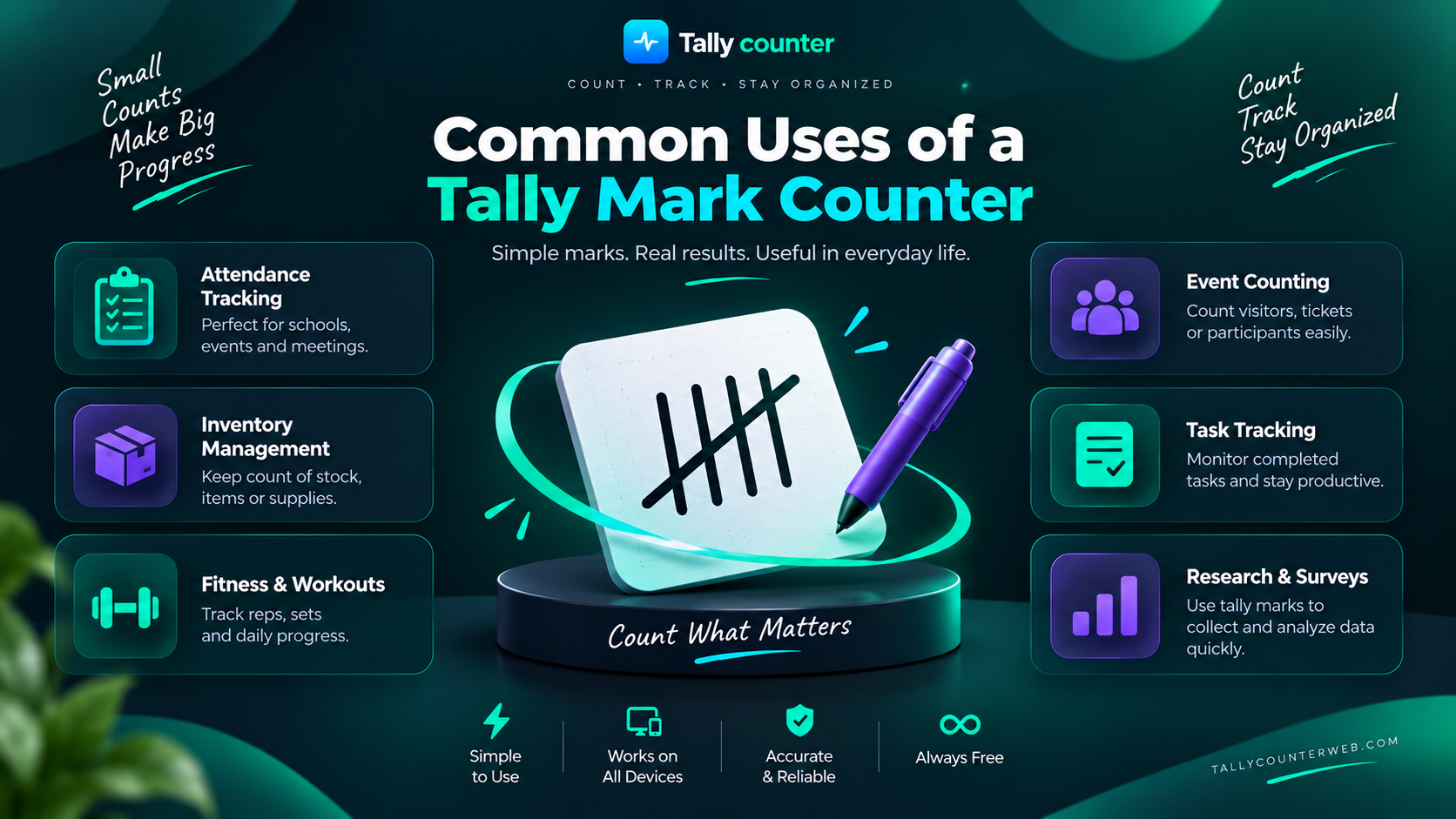
A tally mark counter can be useful whenever the same type of item, person, or action needs to be counted repeatedly. Its simple one-count-at-a-time approach works across everyday tasks as well as more organized counting activities.
Counting People at Events
Event organizers can use a tally counter to record how many people enter a venue, booth, classroom, or activity area. One count can be added for each visitor, making it easier to track attendance without repeatedly estimating the crowd.
Attendance and Classroom Counting
Teachers can use a digital tally counter to keep track of students entering a classroom or participating in an activity. Separate counters can also be useful when recording different groups or responses during a lesson.
Inventory and Stock Counting
During an inventory check, a counter can record each item as it is counted. Using separate counters for different products or categories helps keep stock totals organized and reduces the need to repeatedly write numbers by hand.
Sports and Score Tracking
A tally counter can help track points, laps, repetitions, serves, goals, or other repeated events during practice and games. It provides a quick running total when keeping score manually would be inconvenient.
Workout and Repetition Counting
For exercises with repeated movements, a counter can keep track of completed repetitions. This can be useful for activities such as squats, push-ups, jumping exercises, or sets where remembering the exact number becomes difficult.
Research and Data Collection
Researchers can use a tally counter to record how often a specific event occurs during an observation. For example, a counter can track behaviors, responses, objects, or events without interrupting the observation process.
Traffic and Visitor Counting
A counter can be used to record vehicles passing a location or visitors entering a particular area. Separate counters can help distinguish different categories when more than one type of traffic or visitor needs to be measured.
Prayer and Repetition Counting
A digital tally counter can also be used to keep track of repeated prayers, recitations, or other personal counting routines. Each tap records another repetition, making it easier to maintain the intended count without relying on memory.
Games and Other Everyday Counting Tasks
Tally counters can also help with simple games, household tasks, practice drills, collections, or any activity that involves repeated counting. When the same action needs to be recorded many times, an online tally counter provides a quick way to maintain the total.
How to Improve Accuracy When Using a Tally Counter
A few simple habits can make repeated counting more reliable. Whether you are using paper tally marks or a digital tally counter, having a clear counting method from the start helps prevent missed or duplicate counts.
Decide What You Are Counting First
Clearly define the item or event you want to record before starting. For example, if you are counting visitors, decide whether every person entering the area counts once. A clear rule keeps the final number consistent.
Keep Your Counting Method Consistent
Use the same counting approach throughout the task. If one item receives one count, continue with that rule until the session ends. Avoid changing the counting criteria midway because it can make the final total difficult to interpret.
Use Separate Counters for Different Categories
When several types of items need to be tracked, give each category its own counter. For example, separate counters for different products can prevent their quantities from being combined into one total.
Correct Errors Immediately
Fix an incorrect count as soon as you notice it. If the tool provides an undo, minus, or adjustment option, use it before continuing. Correcting an error immediately is easier than trying to remember it later.
Check the Final Count
Before finishing, review the total and make sure it matches the counting rule you used. For important records, a quick verification against the items or observations can help catch an overlooked entry.
Frequently Asked Questions
What Is a Tally Mark Counter?
A tally mark counter is a counting tool that helps you record repeated items or actions one at a time. It brings the basic tally-mark method into a digital format, allowing you to keep a running total with clicks or taps.
Is a Tally Counter the Same as a Click Counter?
They are very similar and often refer to the same type of counting tool. A tally counter focuses on keeping a running count, while a click counter describes the click or tap used to increase the number. Many online tools can be described using both terms.
Can I Use a Tally Counter on My Phone?
Yes. An online tally counter can be used on a phone when the tool is designed for mobile browsers. You can tap the counting control as you record each person, item, repetition, or other event without needing a separate physical counter.
Can I Use Multiple Tally Counters at the Same Time?
Yes, if the counting tool supports multiple counters. This is useful when you need separate totals for different items or categories, such as tracking several products during inventory or different groups at an event.
Are Online Tally Counters Free?
Many online tally counters are available at no cost, although features can vary between tools. A free counter may provide basic counting functions, while some services offer additional features such as multiple counters, saved counts, customization, or advanced tracking.
Final Thoughts
A tally mark counter is a simple way to keep track of repeated counts without managing a long list of handwritten marks. Whether you are counting people, inventory, repetitions, scores, or observations, the basic idea remains the same: record each count and keep the running total easy to follow.
Understanding how tally marks work in groups of five also makes the traditional counting system easier to use and recognize. For everyday tasks where quick and organized counting matters, a digital or online tally counter can provide a practical alternative to paper tally marks or a physical clicker.